Changing Zaurus Fonts
This page is about how to change the system fonts on your Zaurus. Most of this information is generic to Trolltech's Qtopia environment but some is specific to Sharp's ROM.
Zaurus fonts are stored in /home/QtPalmtop/lib/fonts
in Trolltech's QT Prerendered Format (QPF).
For rotated screens (such as on the Zaurus SL-C series) you will need to make
two fonts, one for portrait mode and one for landscape. The qpf font for the
rotated screen has "t10" appended to the filename. If the screen is
rotated and the rotated font is not available, Qtopia will try to use the non-rotated
version of it, usually resulting in garbage. This guide also applies to
single orientation Zaurus, like the SL-5500, SL-6000 and SL-A300.
On most non-Japanese locales Qtopia defaults to helvetica if it can't find the
font it needs. If it can't find it in the normal font directory it will look
for it in /usr/QtPalmtop.rom/lib/fonts. This can cause confusion
when testing newly installed fonts. Furthermore, calling getFontName() in QT/embedded
results in the name of the font that was requested rather than the font that was
actually rendered.
How to Make Fonts
This example is using makeqpf-arm and is run on the Zaurus.
- Backup important files and quit running applications: it will be necessary to do a reset later on
- Somewhere convenient (in this example on a SD card), make a directory structure of
./liband./lib/fonts.
bash-2.05$ mkdir /mnt/card/lib
bash-2.05$ mkdir /mnt/card/lib/fonts
- Add the source fonts to ./lib/fonts and edit a new
fontdir file:
fontdirdescribes the fonts you want to make (see the note below for restrictions).
bash-2.05$ cp myfont.ttf /mnt/card/lib/fonts
bash-2.05$ cp fontdir /mnt/card/lib/fonts
- Assign QTDIR to the base of where your new directory structure lies:
bash-2.05$ export QTDIR=/mnt/card
So you now have something like:
- $QTDIR
- lib
- fonts
- myfont.ttf
- fontdir
- fonts
- lib
- $QTDIR
- Run
makeqpf-arm -Afrom inside the fonts directory:
bash-2.05$ cd $QTDIR/lib/fonts
bash-2.05$ /path/makeqpf-arm -A
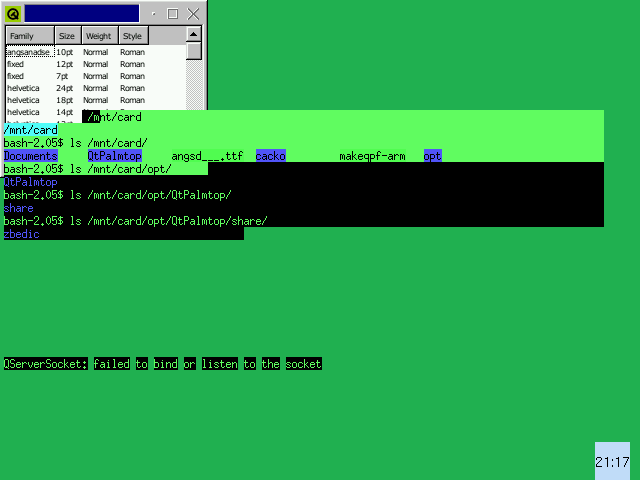
The screen will get covered in junk. The output may have errors but usually the new fonts will be made regardless.

- Copy the qpf files to
/home/QtPalmtop/lib/fonts. You will have tosuin order to get the correct permissions.
bash-2.05$ su
# cp myfont*.qpf /home/QtPalmtop/lib/fonts
- At this stage you will probably need to do at least a soft reset,
this can be achieved by
# shutdown -r now
If makeqpf killed your system, you'll need to do a hard reset (take out the battery for 15 seconds then put it back and turn on again). Therefore I strongly recommend you initiate a reset using the shutdown command as shown above.
Notes
- You should be a normal user to run makeqpf, don't su until you install the fonts
- makeqpf-arm can only make 1 size of each font in the fontdir file or it will crash requiring a hard reset. If you are making multiple fonts and makeqpf crashes on one of the fonts then the other fonts won't be made.
- makeqpf is part of QT/embedded distribution freely available from Trolltech.
- If you run
makeqpfin X on your Linux box you will get portrait fonts by default. Whatever you do, make sure you are running qvfb first or you'll really be in trouble when QT/e takes over the framebuffer.
Changing the Qtopia Font
The Qtopia system (on the Zaurus at least) are hard coded to use Helvetica for most non-Japanese environments. The menu and general font is the smallest size version of helvetica that is available in the current rotation. If you want to use another font then you will have to replace helvetica.
One of the difficulties is deciding what size fonts to use. Unfortunately, QT/e changes the preferred font size for the system font and icon font depending on the locale.
- Backup Helvetica, e.g. by renaming it to Swiss
- Make symbolic links to your font from Helvetica, e.g.
# ln -s newfont_100_50.qpf helvetica_100_50.qpf
etc.
Screenshots
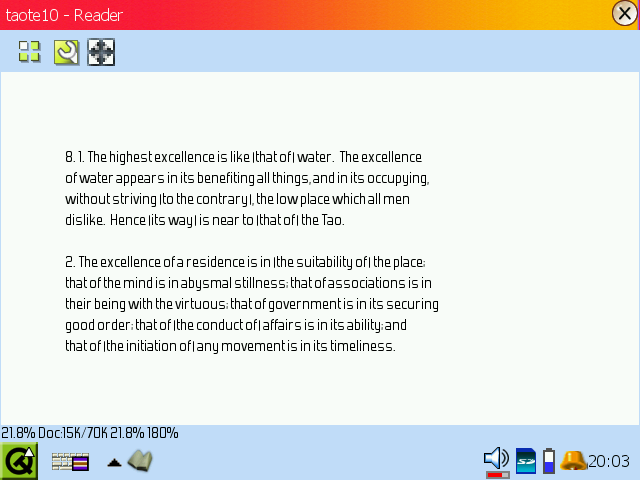
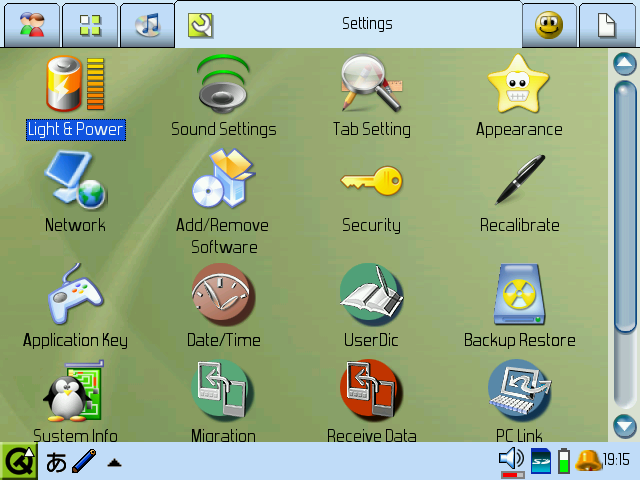
This is Forgotten Futurist, one of many excellent free fonts from Larabie Fonts:
|
|
Download
- Download and add it to the fonts on your Zaurus: forgotten-font_1.0_arm.ipk
- Download and install in place of the default font (helvetica): forgotten-sysfont_1.0_arm.ipk. New links to the real helvetica will be made under the name of "swiss" The installer will restart QPE - save any files before installing and uninstalling
- Warning I cannot be held responsible if anything goes wrong during use of this software - install at your own risk
Find more Zaurus fonts on my Thai Zaurus Fonts page.