Camera Calibration
Introduction
Camera calibration is the process of determining the geometric parameters of a camera. These are used whenever we wish to infer 3D information from a scene, such as in 3D reconstruction and photogrammetry. In computer vision we are concerned with the intrinsic and extrinsic calibration parameters:
Intrinsic parameters define a single camera: the focal length for both axes, the position of the principal point and sensor skew combine to form the intrinsic camera matrix, conventionally represented by K. Lens distortion is represented by a choice of different lens models aimed at generalising different lens types. Distortion coefficients are often represented by the vector D.
Extrinsic parameters represent the model of a camera rig, when more than one camera is used, such as a stereo camera. The extrinsics represent the 3D pose of each camera, related to an origin using a rotation matrix R and translation vector, T. For most systems the left camera in a stereo rig or first camera in a multicamera rig is usually assumed to be the reference co-ordinate frame.
When possible to do so in advance, camera calibration is computed by capturing images of calibration charts. For some camera designs, calibration is determined at the factory and provided by the manufacturer.
Implementation
For calibrating a single camera, we need to capture images of a calibration chart at varying angles and distances. Most charts use grids of squares or markers. The corners in images of charts must be visible and sharp. OpenCV includes functions specifically for detecting calibration chart patterns and their corners.
Method outline:
- Detect chessboard corners in each image
- Based on the actual chessboard, define 3D "object" points
- Solve for P-n-P to find the pose of the actual chessboard and project the 3D chessboard points to the 2D image
- Use bundle adjustment to optimise the camera parameters K and D using all the views of the points
- The calibration is quantatively evaluated using the reprojection error
For stereo cameras, we follow the same first 3 steps to find the chessboard in the left image, then:
- Estimate extrinsics R and T to project points from the left image to the right image
- Find the pose of the chessboard from the viewpoint of the right camera and project 3D chessboard points to the right image
- Optimise R and T for the error between the two sets of points
We can also estimate K and D for each camera in the stereo optimisation but it is more accurate to estimate them separately and then fix them during extrinsics estimation.
Example
For these examples you will need a calibration chart. If you don't have one already, generate one and print it. The chart in the images below is type checkerboard, printed on A4 paper (297×210mm), 7 rows, 9 columns, checker width 24mm. Disable any option for "scale to fit" when printing. Check the actual size of the squares manually, after printing.
Note that there are many calibration chart types, most of them using chessboard or grid style arangements of markers such as ArUco and AprilTags. All charts must be printed as flat as possible and kept flat in order for calibration to work properly.
Intrinsics Calibration
Capture at least 10 images of the calibration chart and copy them into a directory named images. They should look something like the views below:
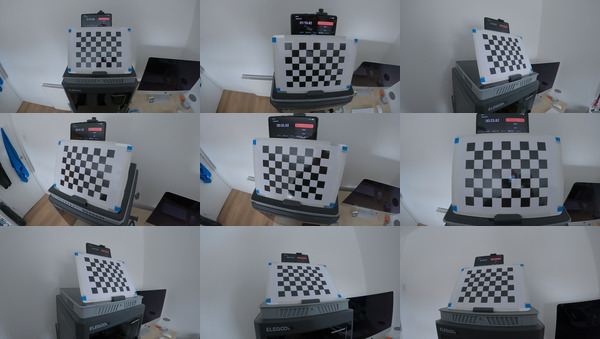
Calibrate as follows, check the -h option for help,
$ calibrate_mono -i images -c calibration.yaml
RMS error for calibration: 0.853587
The default chart parameters are suitable for the chart described above; you should change them if you printed a chart with different dimensions.
The format of the output calibration file is not a true YAML file but is OpenCV specific and human readable. The error should be as small as possible and ideally less than 1.0. Values between 1.0 to 3.0 might be OK if you are not looking for good accuracy or are calibrating a very extreme lens. Values higher than 3.0 would indicate that you should capture some better images of the calibration chart and try again.
Now test the estimated parameters by removing the distortion from one of the images using the calibration we just calculated,
dedistort -i images/frames00750.jpg -c calibration.yaml -o dedistorted00750.jpgWe can see that removing the distortion has made lines that are straight in the real world straight in the image:
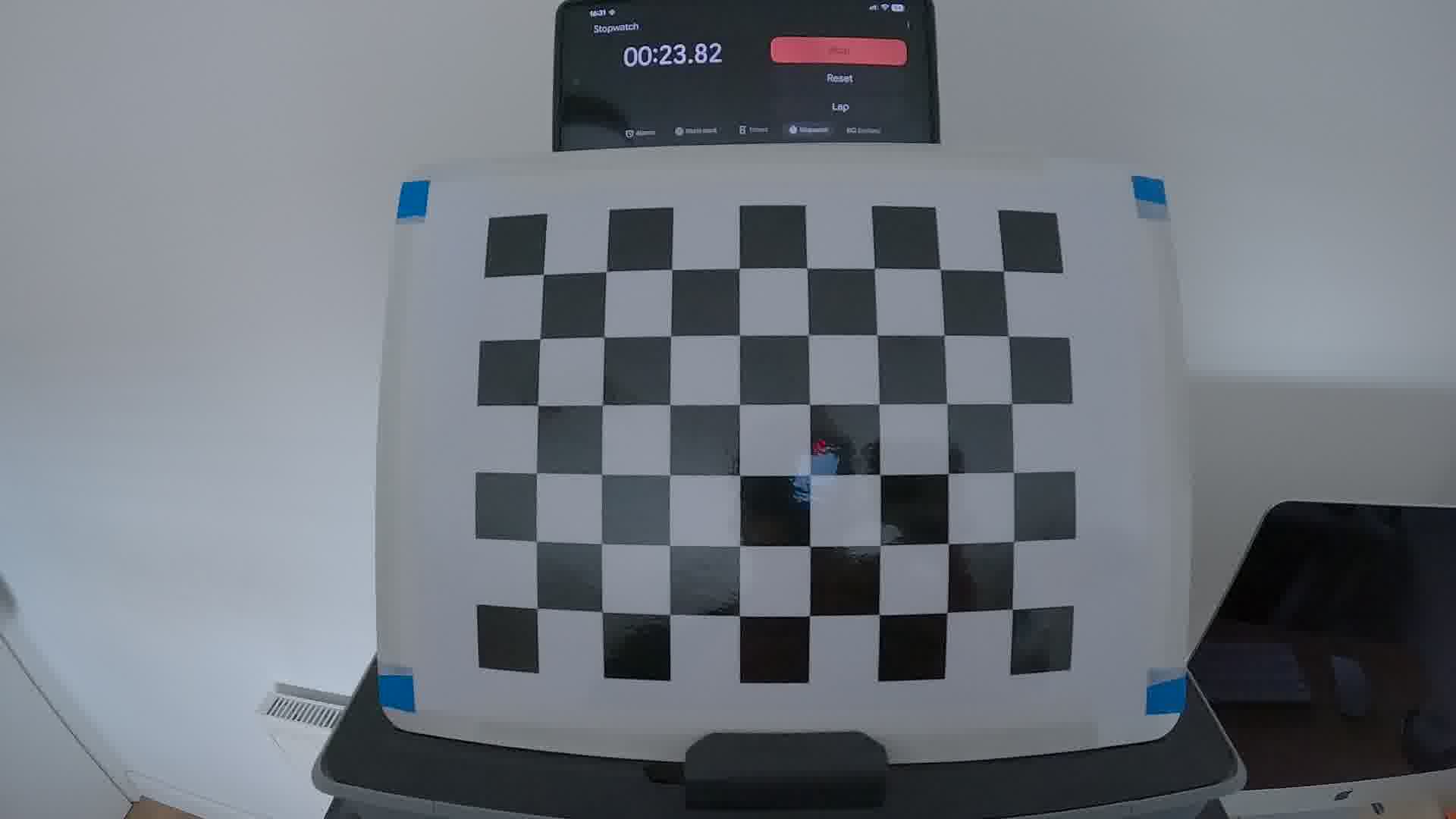
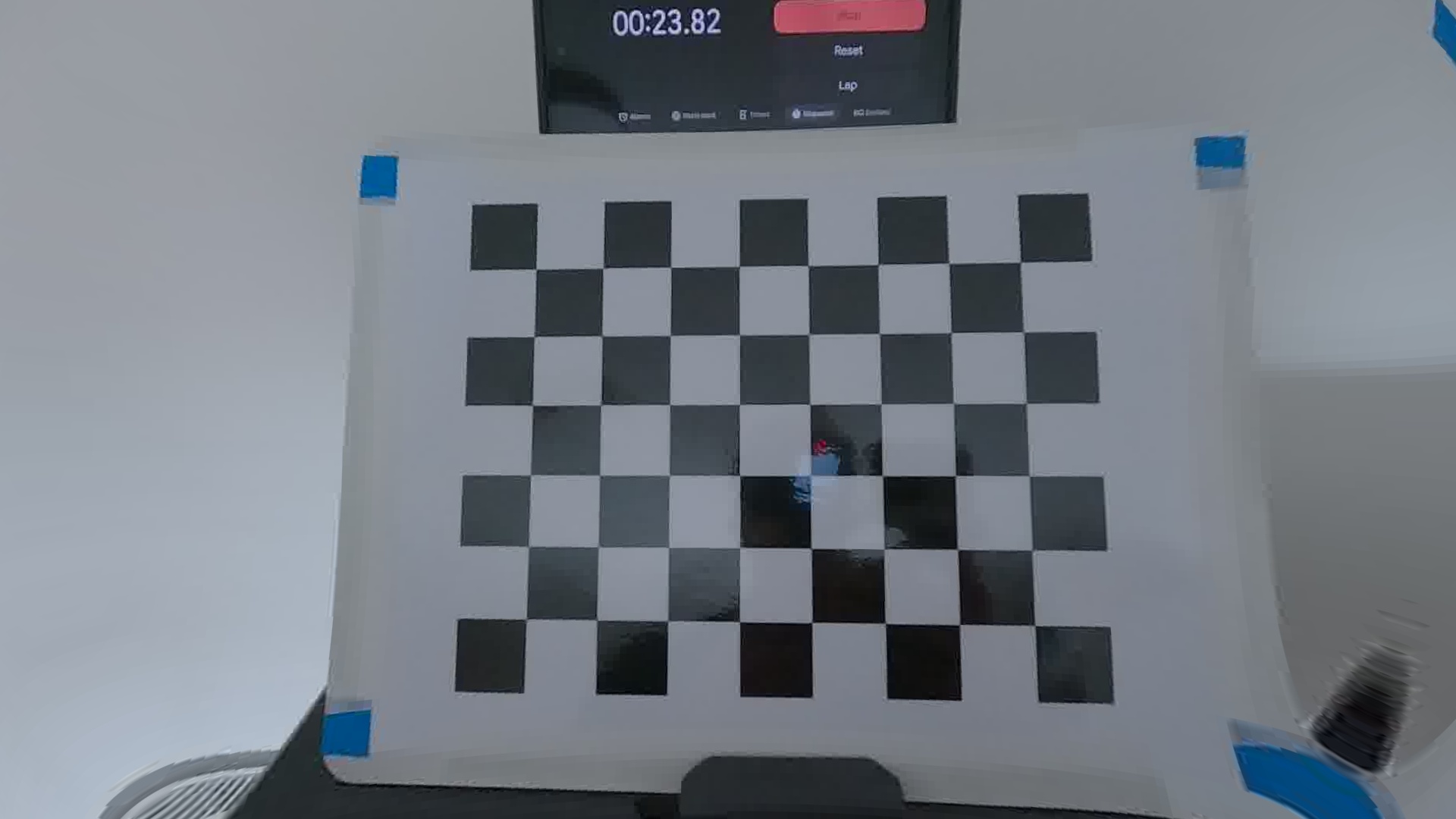
Left: Original image, Right: Same image with distortion removed
Removing distortion makes the border of the image curved so some cropping and zooming is required. It is more difficult to fit the lens model to details at the edge of the image so some curving remains in those regions.
We can remove (some of) the distortion in a video using FFmpeg's lenscorrection filter in the following script,
video_undistorter.py --input video.mp4 --calibration calibration.yaml --mode scale --output dedistorted.mp4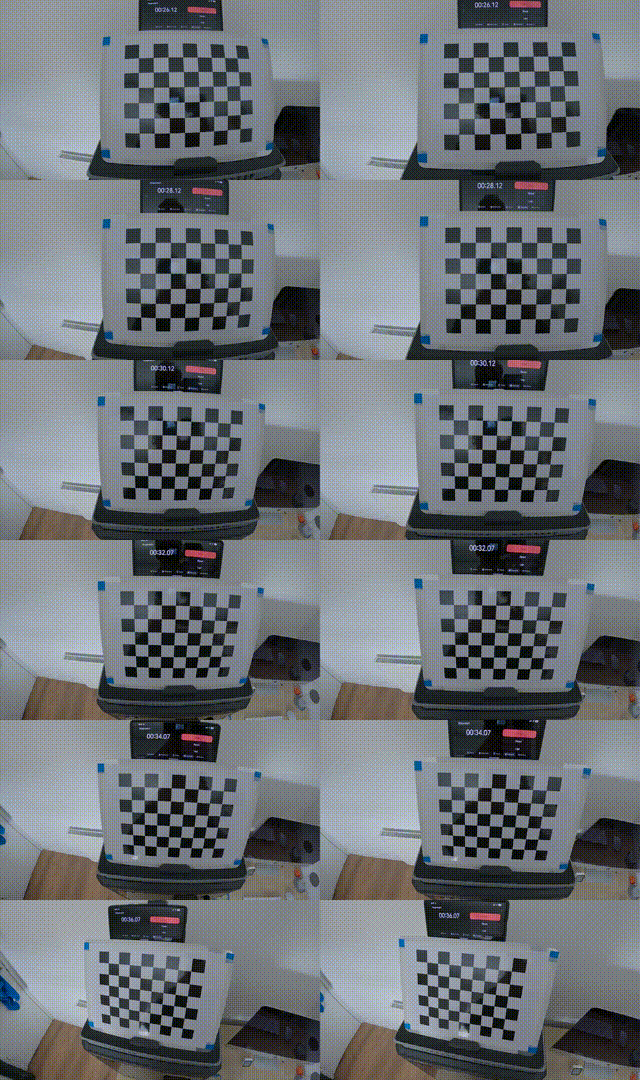
Before and after using FFmpeg lenscorrection filter:
The distortion is more obvious when viewing at full resolution.
Unfortunately, the lenscorrection filter is not sophisticated enough to take advantage of all the parameters in the lens model used above and cannot work at all with fisheye lenses. The video above is from a camera with a fisheye lens and therefore only some of the distortion was removed.
Extrinsics Calibration
For a stereo camera, capture images where both left and right cameras can see the calibration chart at the same time. Copy your left camera images into the directory stereo/left and right images in stereo/right.
Perform the mono calibration individually for both the left and right cameras,
calibrate_mono -i stereo/left -c left-calibration.yaml
calibrate_mono -i stereo/right -c right-calibration.yaml
Run stereo calibration,
calibrate_stereo -i stereo -a left-calibration.yaml -b right-calibration.yaml \
-c stereo-calibration.yaml
Now we can rectify the images, removing the lens distortion and projecting the images so that the cameras have the same orientation/rotation and the same vertical position,
rectify -l stereo/left/frame00010.png -r stereo/right/frame00010.png \
-a left-calibration.yaml -b right-calibration.yaml -c stereo-calibration.yaml -o rectified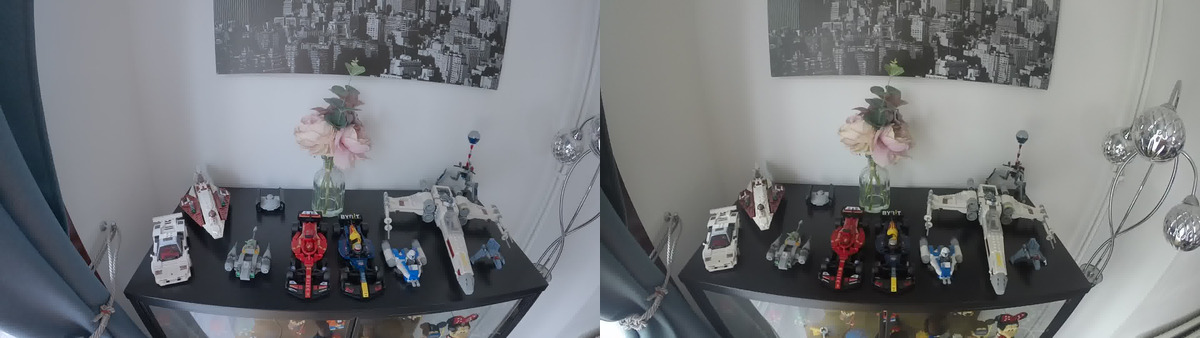
Input Stereo Image Pair
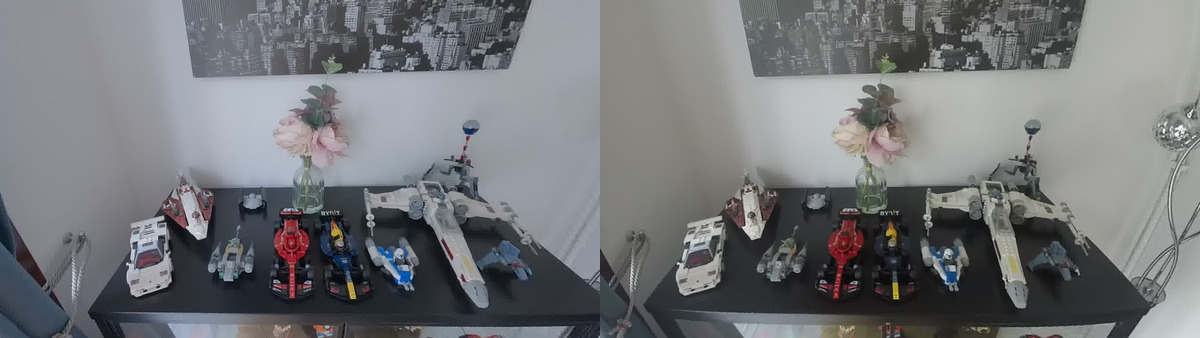
Rectified Stereo Image Pair
In the images above the cameras used had fisheye lenses and we can see that the lens model did not completely remove distortion.
Rectifying images simplifies the camera model for downstream processing. For example, corresponding points in rectified stereo images appear on the same scanline in both images making disparity estimation much easier.
Calibration Check
Using a validation set of calibration chart images, we can recalculate the reprojection error from projecting corners from the chessboard to the image.
This can be performed for both intrinsics and extrinsics. For stereo calibration check the error is based on both projecting the chessboard to the left image and then projecting those points on to the right image via the extrinsics.
$ calibrate_check -i validation_images -c calibration.yaml
Intrinsics RMS error = 0.8103
$ calibrate_check -i stereo_validation -c stereo.yaml -a left_intrinsics.yaml -b right_intrinsics.yaml -t
Extrinsics RMS error = 1.51175Summary
- Camera calibration is used for building 3D models of the real world.
- The lens distortion can be removed to produce images that have straight lines where the lines in the real world are straight.
- Stereo cameras have further benefits from calibration, such as being able to rectify images and metric triangulation.
Postscript
If you want to completely remove lens distortion from video then see my project on Calibration for GoPro Cameras where you can find scripts to process the full OpenCV lens distortion models using the calibration files generated by the tools above.